Sam’s Baby Quilt

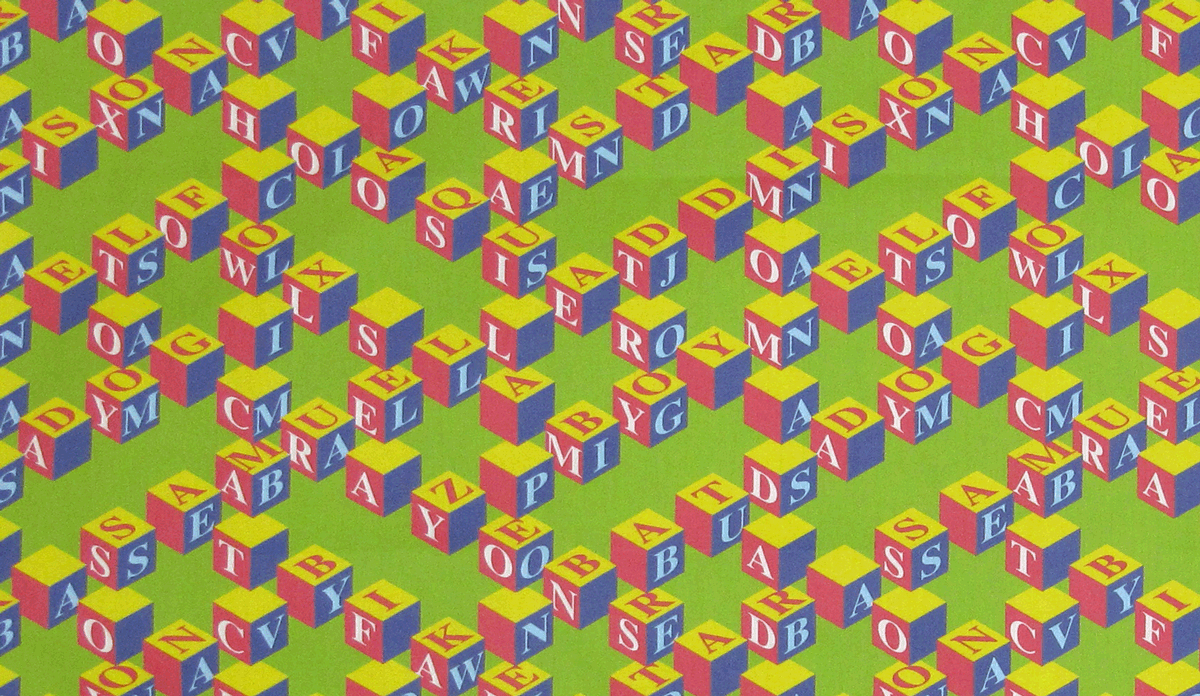
Some friends had a baby recently and I knew it was a great excuse to make a quilt.  I’d created a fabric design of interlocking blocks which could be personalized with the baby’s name, so I used that–Samuel Addison–as well as other words with significance to the parents, like Hoosier, baseball, Sox and clown, in creating the fabric design.

Here’s a portion of the printed fabric.

Continue reading

Kauai Waves — The Finished Quilt

In a previous post I talked about the improvisational approach I took to create a quilt from two silk scarves I bought while on vacation in Kauai.

That previous post showed some of the different layouts I’d tried–both on the computer and on my design wall–for all the pieces I’d sewn together.  The picture on the right shows nearly the final design.  Just a few more pieces were added for the final quilt.

The completed quilt top is pictured below. Continue reading

Hawaiian Cheater Quilt Fabric Design

Each week Spoonflower sponsors a fabric design contest using different themes.  (Spoonflower is an on-demand fabric printing company where you can upload your own designs and have them printed on fabric.  You can also look at other people’s designs and buy those on fabric.  It’s quite fun and addicting to design fabrics.)

The most recent contest was to design a Hawaiian Cheater Quilt.  A Hawaiian Quilt traditionally is a radially symmetrical applique pattern, often in a botanical design using strong colors on a white background.  Here’s an example from the International Quilt Study Center in Lincoln, Nebraska. Continue reading

Kauai Waves – Part 1

Last fall my husband and I spent a fabulous week on Kauai–seeing the sites, snorkeling, golfing, soaring in ultralights (that’s me in the back)…

One day we went to see all the art galleries in Hanapepe and stumbled into The Art of Marbling Gallery which features marbled sarongs and scarves by Becky Wold and amazing wood bowls by Rob Bader.  My husband, the woodworker, was captivated by the turned bowls while I loved the scarves.  When Becky heard I was a quilter, she brought out a couple of scarf “seconds” which didn’t meet her standards.  I bought them, knowing they’d make a great quilt with memories of Kauai.  Here are the scarves–they really remind me of the waves in Kauai. Continue reading

A Quick Way to Develop a Color Palette (Photoshop Elements)

Sometimes when creating a design (fabric or otherwise) it’s helpful to work with a fixed palette of colors.  The inspiration for a color palette can come from anywhere, and I find that photos are often a great source of color palettes.  In this post, I’ll show how to quickly create a color palette (called a color table in Photoshop) from a photo.  You can then use the color palette to create your own designs.

This post compliments a couple of my previous posts where I talked about how to color-reduce a photo in Photoshop Elements, and then how to generate a Color Table from the color-reduced photo and use the color table to create coordinating designs. Continue reading

Lin-Z’s First Quilt

My young friend Lin-Z had never made a quilt.  She’d never used a sewing machine or an iron.  But she likes doing art projects, so a quilt seemed like a perfect project while she and her family were visiting us for a week.

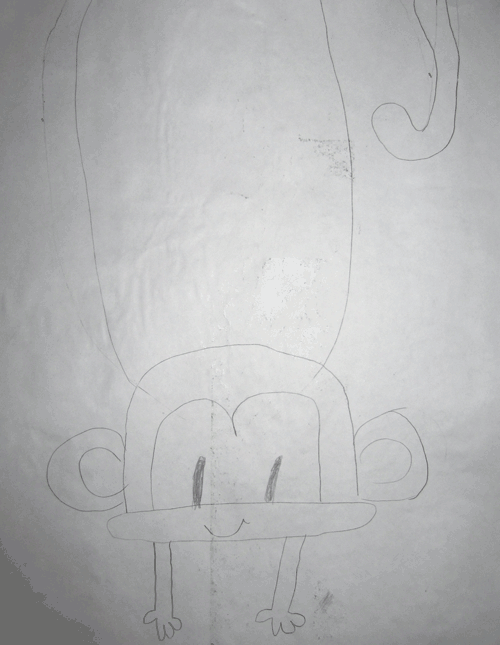
Lin-Z likes butterflies and monkeys, and she chose a monkey as the subject of her quilt.  She started by drawing the monkey on a piece of freezer paper (here’s the first draft).  Then she labeled and cut out all the pieces. Continue reading

Why I Make Quilts for the Alzheimer’s Art Quilt Initiative

About a week ago I was featured on the AAQI blog after Ami Simms asked me about the artist’s statements for my recent donation quilts.  Here’s what I wrote:

Here’s a bit of the reason I make quilts for AAQI.  Both my parents died from Alzheimer’s disease, my father in 2004 and my mother in 2006.   Continue reading

Fireworks — July Alzheimer’s Auction

Two of my quilts, Daylily #2 and Fireworks, are in the July AAQI auction.

Fireworks was inspired by some journal entries by my mother, Marion , written in 1937 when she was 14 years old.

Continue reading

Using Colorways in Photoshop Elements

In this previous post (I know it’s been a while–golf season has arrived) I talked about how to color-reduce a photo and then change the colors to create different colorways of the same image.  In this post I’ll show how you can use the colorways to create coordinating designs.

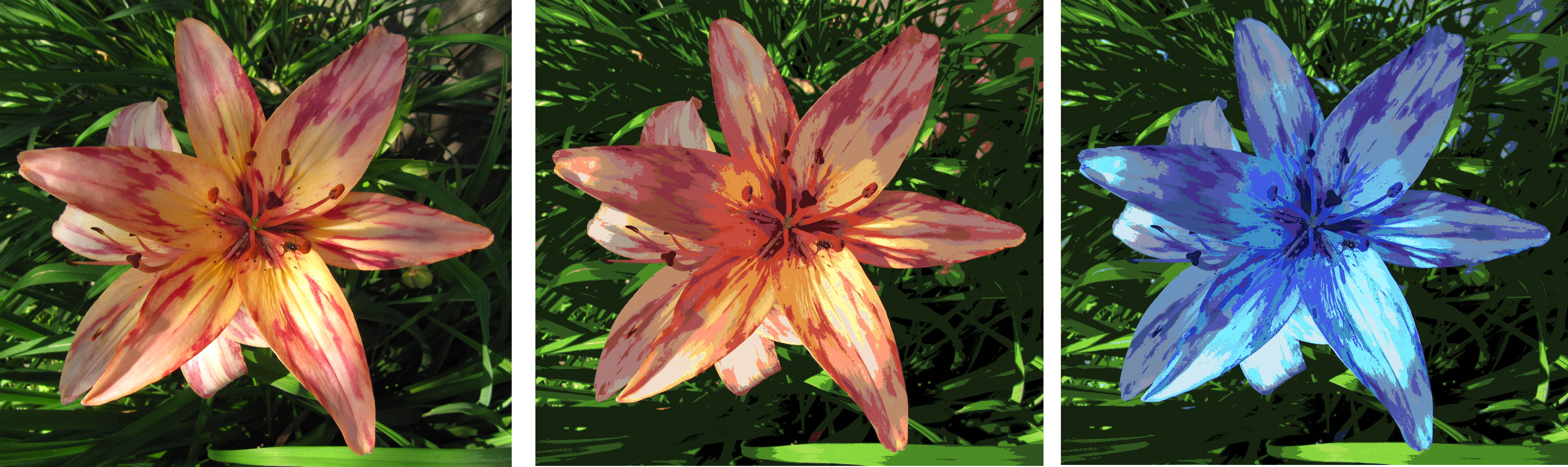
Below is the daylily photo I used in the earlier post (on the left), along with its color-reduced version (middle) and the purple colorway (right).

SAVING A COLOR TABLE

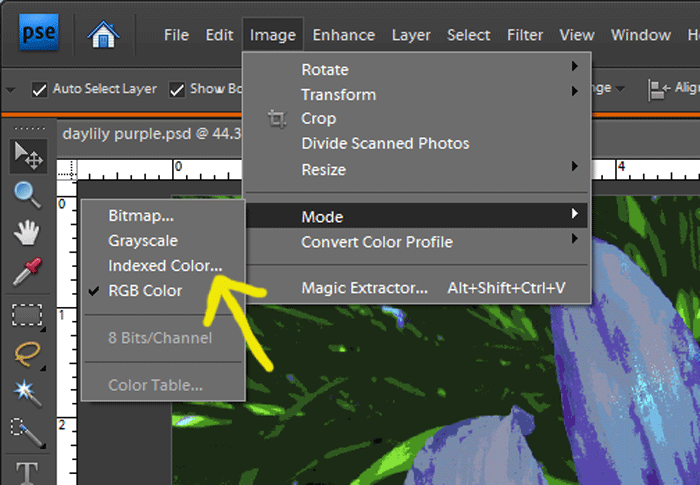
1.  I’m going to start with the purple image, opening it in Photoshop Elements.  Once it’s opened, from the menu  click Image –> Mode  (as shown below).   If the check mark is in front of the “Indexed Color” option, skip ahead to step 3.

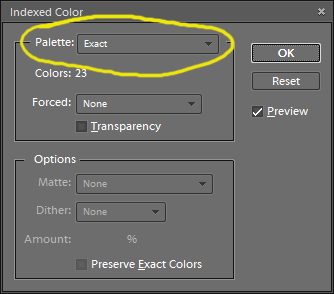
2.  In this example the image was in RGB mode, so I need to change it to Indexed Color mode.  Simply click on the “Indexed Color” option shown in the picture above.  This will open up the “Indexed Color” pop-up menu show here.  Select the “exact” option from the Palette drop-down, and the click OK.
3.  Now the image is in Indexed Color mode.  To see the colors in the image, go to the menu and select Image –> Mode –> Color Table.

4.  This opens the Color Table, shown here.  I want to save this color table so that I can use these colors when creating other images.  Click on the “Save” button and then give the file a name.  Remember where you save it, and note that the file has an extension of “.ACT” for Adobe Color Table.  I named my file purple daylily.act

USING A SAVED COLOR TABLE

1.  Now I can use my Purple Daylily colors to create a new image.  I’ll start with a blank file (File –> New –> Blank File).

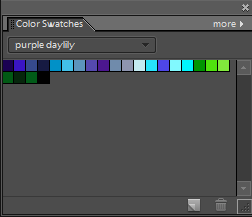
2.  From the menu, click Window –> Color Swatches to bring up the color swatches panel with a default set of colors (shown here).  Click on the “More” option and then select “Replace Swatches” at the bottom of the list.
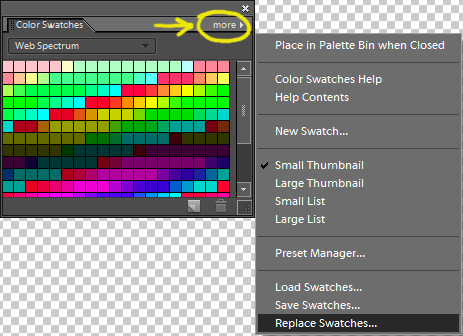
3.  The “Load” window opens so I can navigate to the folder where I saved my color table.  Note that the “Load” window defaults to files of type Swatches (*.ACO) — change this to files of type Color Table (* .ACT).  I’ll select the Purple Daylily.act file and click the Load button.

4.  The Color Swatches window now shows only the colors from the Purple Daylily file.  Clicking on any of the colors in the Color Swatches window makes it the foreground color.

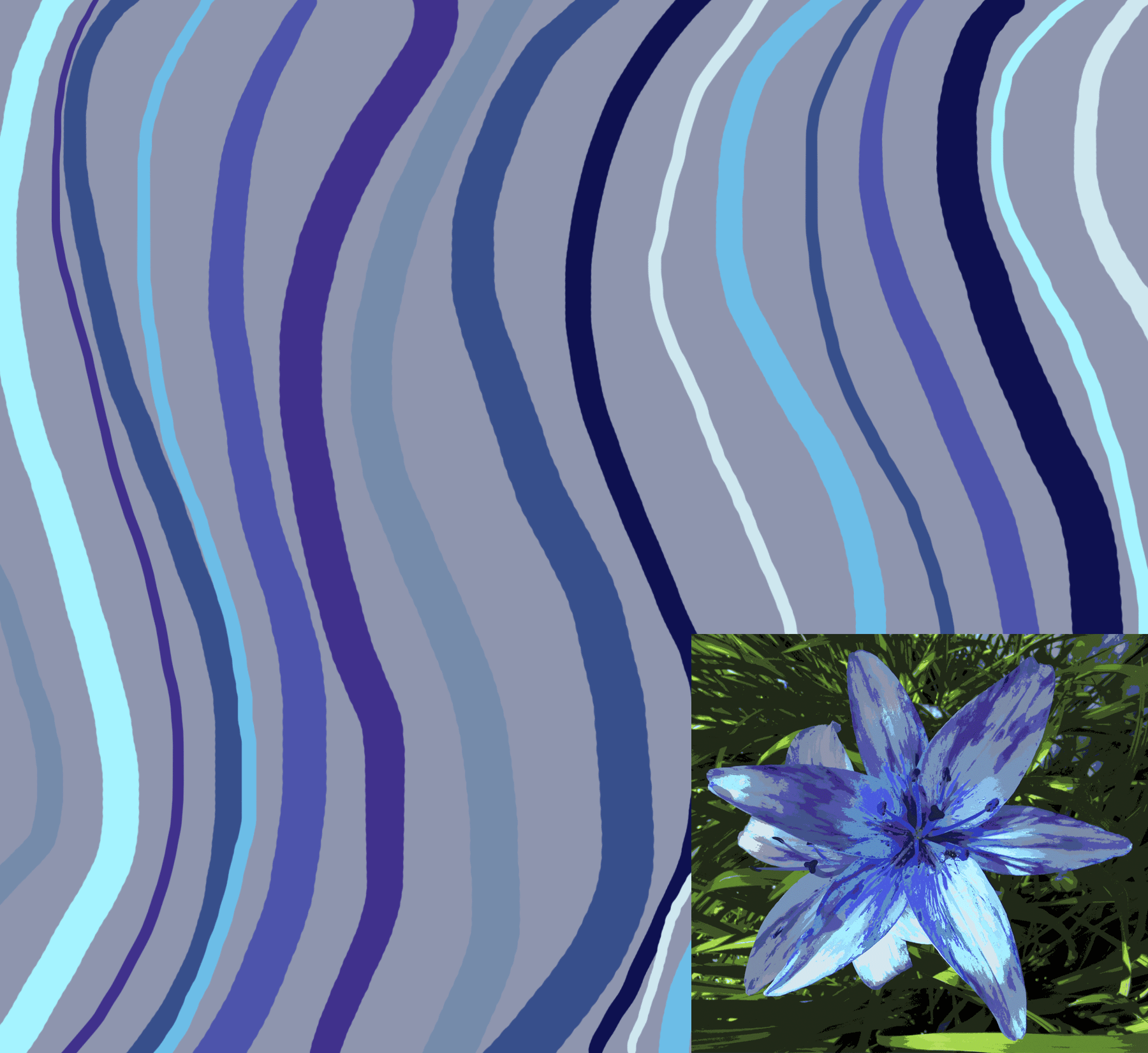
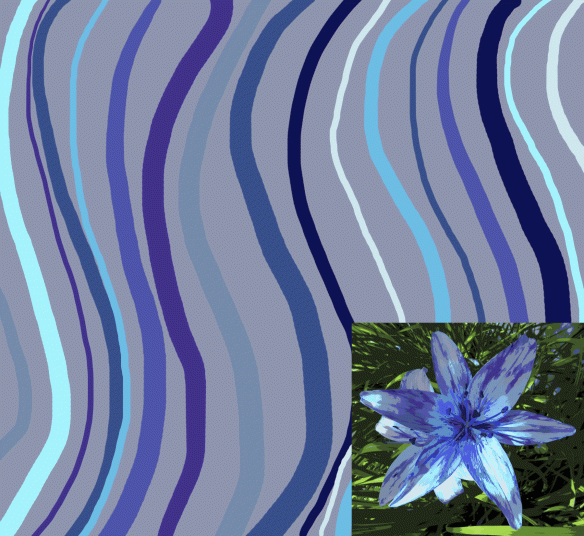
5.  Going back to the new, blank file, I’ll quickly create a coordinating stripe to go with the purple daylily photo.  I selected one of the lighter purple-grays from the Color Swatches window, then using the Paint Bucket, I filled in the background of the new file.

6.  Using the brush tool, and selecting different colors from the Color Swatches, I added a bunch of wavy stripes to get this coordinating design.
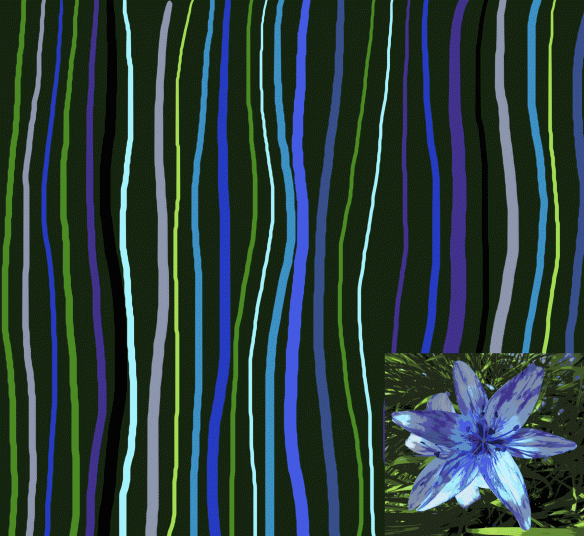
And here’s another design example.
Mere color, unspoiled by meaning, and unallied with definite form, can speak to the soul in a thousand different ways.   Oscar Wilde

Colors, like features, follow the changes of the emotions.   Pablo Picasso

Island Batik, Inc Donates $25,000 to AAQI

Here’s some exciting news from the Alzheimer’s Art Quilt Initiative:

Hold onto your hats!

Moira and Adam Dewar of Island Batik, Inc. have donated $25,386.00 to the Alzheimer’s Art Quilt Initiative!

This is our largest donation to date. As in EVER!

Moira and Adam have been proud supporters of the AAQI through the Rose of Sharon project and have donated fabric for “Alzheimer’s Illustrated: From Heartbreak to Hope.” But this! OH MY GOODNESS!!!

Adam said, “We are very happy to give this money to the AAQI. We think they are doing fantastic work.”

We are ecstatic! Jump-up-and-down happy! Over the moon! THANK YOU!

There are an estimated 5.4 million Americans with Alzheimer’s. One in eight people age 65 has the disease.  Right now. If you are a Baby Boomer, your age cohort is turning 65 at the rate of between 7,000 and 10,000 people a day.  Chances are high that you will spend your retirement years either struggling with this vile disease yourself or taking care of someone who is.

Let Island Batik’s commitment to fighting Alzheimer’s be a challenge to every quilting industry leader to support the Alzheimer’s Art Quilt Initiative. We fund research directly. 100% of the money that funds “our” research goes to budget, nothing to overhead. Our organization is run by volunteers and we spend zero money on fundraising. We are quilters doing what we love to do and making a difference.  HELP US!

AAQI has raised over $550,000 so far to help find a cure for Alzheimer’s.  You can view some of the quilts I’ve donated to AAQI here.